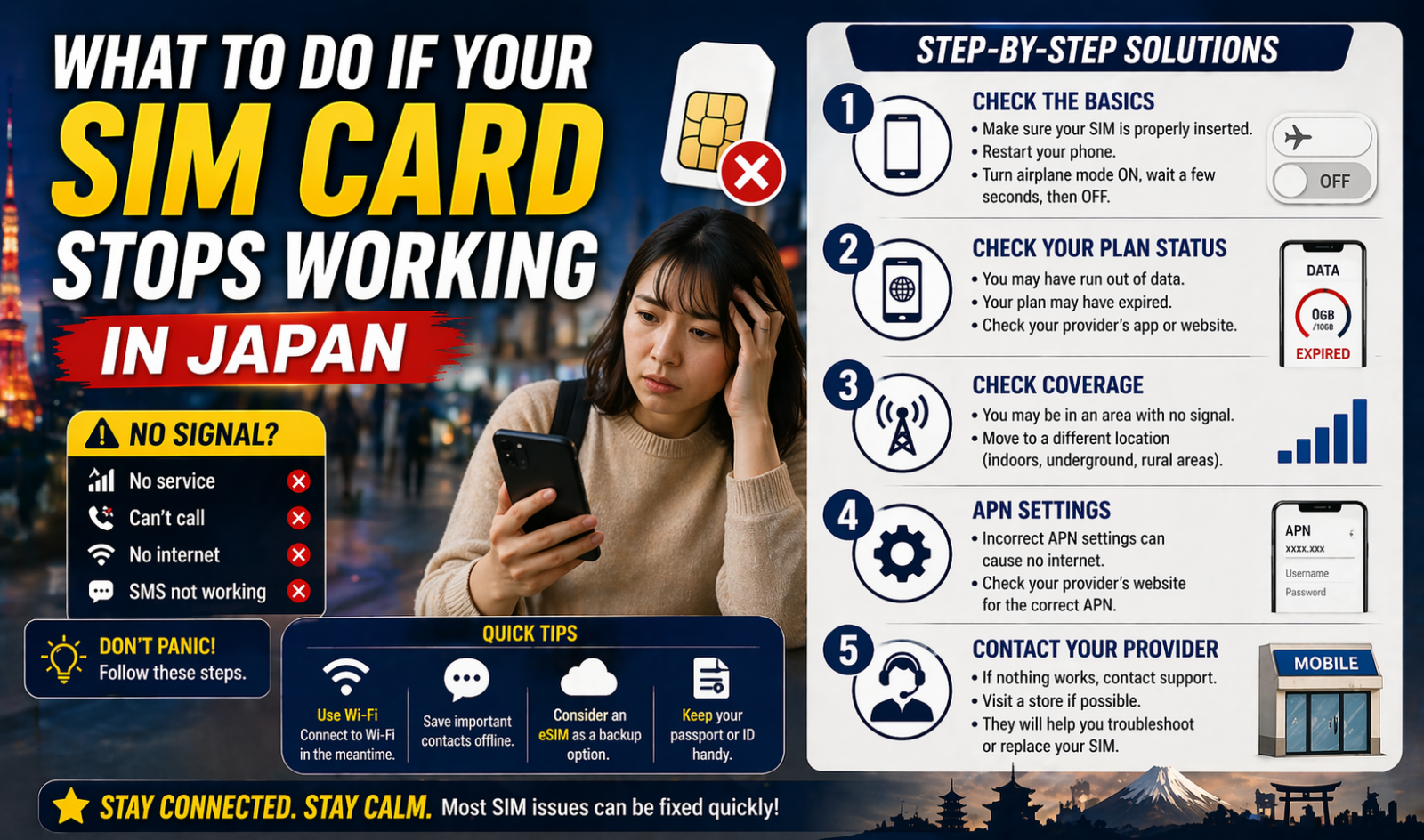
What to Do If Your SIM Card Stops Working in Japan
If your SIM card stops working in Japan, start with three checks in this order: outage, phone settings, and SIM or eSIM setup. In many cases, the problem is not a broken SIM card. It is often a temporary carrier outage, a missing APN setting after switching phones, an eSIM that was not re-downloaded correctly, or a line that was suspended because of account or device issues.
This guide is for travelers, students, workers, and long-term residents in Japan. It matters most when your phone suddenly shows No Service, SOS only, No SIM, or mobile data stops working even though Wi-Fi is fine.
- Check your carrier’s outage or maintenance page before changing settings.
- If you changed phones, look at APN or eSIM setup next.
- If you use an MVNO, old profiles and manual settings are a common cause.
- If the SIM is damaged, lost, or deleted, ask for a reissue. Fees and downtime depend on the operator.
First, work out what kind of failure you have
A SIM problem in Japan usually falls into one of these patterns:
No SIMorInvalid SIM: the physical SIM may be loose, damaged, the wrong size, or the phone may not be reading it.- Signal is missing: this can be an outage, local reception problem, suspended line, or device compatibility issue.
- Calls work but data does not: this often points to APN settings, especially on Android or on iPhones that still have an old carrier profile.
- The problem started after changing phones: eSIM transfer or APN setup is the first place to look.
- Only one area is affected: check your carrier’s area status or outage page before assuming the SIM itself failed.
Step 1: Check for a carrier outage first
Do this before you reset anything. Japan’s carriers publish outage and maintenance information, and sometimes the fault is outside your phone.
- SoftBank has a mobile outage page for smartphone users.
- au and UQ publish maintenance information for online SIM and eSIM procedures.
- DOCOMO has a signal reception support line and area-status support information.
If your problem started during a storm, earthquake, or a large network failure, the timing matters. On April 1, 2026, Japan’s five major carriers started JAPAN Roaming, an emergency roaming system for large disasters and major outages. That can help some users connect through another carrier’s LTE network, but it is not a normal everyday fix for weak signal in a station, apartment, or rural area.
ここがポイント: If service suddenly fails in one neighborhood or on one morning, check the carrier side first. If there is no outage notice, move to phone and SIM settings.
Step 2: Reconnect the line on your phone
For iPhone, Apple currently recommends a simple reconnection sequence:
- Turn Airplane Mode on for at least 15 seconds.
- Turn it off.
- Restart the phone if service does not come back.
- On iPhone, check for a carrier settings update under
Settings > General > Aboutwhile connected to Wi-Fi.
Also check these basics:
- If you use dual SIM, make sure the correct line is turned on.
- Make sure mobile data is assigned to the right SIM or eSIM.
- If your line was recently activated, wait a few minutes and restart once after setup.
If the phone still shows No Service, move on quickly. Endless restarts usually do not fix an APN, eSIM, or account issue.
Step 3: Check the SIM card or eSIM itself
Physical SIM
If you use a physical SIM:
- Power the phone off.
- Remove the tray carefully.
- Make sure the SIM sits in the tray correctly.
- Reinsert it fully.
- Look for obvious damage, dirt, or a bent tray.
Apple notes that you should use the SIM tray that came with that device. A mismatched tray can stop proper contact even when the card looks fine.
eSIM
If you use eSIM, ask a different question: is the line still installed on the phone?
Common Japan situations include:
- You changed to a new phone but did not finish the eSIM download.
- You accidentally deleted the eSIM profile.
- Your operator’s online reissue tool is under maintenance.
- The carrier needs your IMEI or device ID before activation.
Google’s Pixel support says carriers may ask you to confirm your device IMEI or device ID when setting up a new eSIM. That matters in Japan because many people switch between a home-country phone and a local Japanese line.
For au’s official setup guide, iPhone usually handles APN automatically after SIM insertion, but Android may still need APN settings. au also warns that iPhones used with another carrier may need the old APN profile removed first.
Step 4: Fix APN and profile problems
This is one of the most common causes when the SIM is recognized but data does not work.
APN problems are especially common if:
- you use an MVNO
- you moved the SIM to a different phone
- you bought a SIM-only plan
- you previously used another carrier on the same iPhone
au’s guide makes two practical points:
- On iPhone, APN often sets automatically after SIM insertion.
- On Android, manual APN setup may be required.
If you are using an iPhone that was set up with another carrier before, check whether an old APN profile is still installed. au’s instructions tell users to go to Settings > General > VPN & Device Management and remove the old carrier profile if one remains.
If your phone has signal bars but apps will not load on mobile data, APN is a stronger suspect than a dead SIM card.
Step 5: Check account and device issues
If the network is fine and your settings look correct, the next question is whether the line is allowed to connect.
Check these points:
- Is your account active and paid up?
- Did your carrier suspend the line after a failed payment?
- Did you insert the SIM into a phone that is carrier-locked or not supported?
- Did you switch from physical SIM to eSIM, or from one network type to another, without finishing activation?
This is where older phones still cause trouble. Japan changed its SIM-lock rules in 2021, and phones sold from October 1, 2021 were generally no longer supposed to be sold SIM-locked under the revised MIC guidelines. But older phones, second-hand devices, and phones bought overseas can still have lock or compatibility issues.
So if your Japanese SIM stopped working right after you changed handsets, do not assume the SIM failed. The phone itself may be the real problem.
Step 6: When to ask for a SIM or eSIM reissue
Ask for a reissue when:
- the physical SIM is cracked, bent, or no longer detected after reseating
- the phone was lost or stolen
- the eSIM was deleted
- the carrier confirms the line is active but the SIM profile is faulty
Reissue costs depend on the operator. As one current example, IIJmio lists 2,200 yen for SIM card size change or reissue through its website, plus a SIM card issuance fee. Its support page also says a service gap can happen while the old SIM stops working and the new one has not arrived yet.
That point matters in real life. If you depend on your Japanese number for bank logins, school contact, work calls, or one-time passcodes, plan for a temporary loss of service during replacement.
Common mistakes that waste time
- Resetting the whole phone before checking the carrier outage page.
- Forgetting that dual-SIM phones may have the wrong line selected for data.
- Leaving an old APN profile on an iPhone after switching operators.
- Assuming any unlocked phone will work perfectly on every Japanese network.
- Deleting an eSIM before confirming the new device is ready.
- Waiting until late at night, then discovering your operator’s online reissue system or shop support is unavailable.
What is different in Japan right now
Two current points are worth knowing as of April 23, 2026:
JAPAN Roamingis now in place for major disasters and large outages across the five major carriers, starting from April 1, 2026.- au and UQ currently show maintenance windows that can affect online eSIM issue or reissue procedures, which matters if your eSIM disappears and you expect an instant web fix.
That means your fallback plan in Japan should not rely on one method only. Keep Wi-Fi access, your carrier login, and passport or ID-ready support documents available.
If nothing works, do this next
If you still cannot connect, take the shortest practical route:
- Confirm there is no outage.
- Test Airplane Mode, restart, and carrier update.
- Check APN or old profile settings.
- Confirm your account and device compatibility with the carrier.
- Request SIM or eSIM reissue if the operator says the profile or card is the problem.
If you need help urgently, contact the carrier directly rather than repeating the same phone steps. For DOCOMO, the English support page lists signal reception inquiry numbers and hours. If you are on au, UQ, SoftBank, Rakuten Mobile, or an MVNO, use that operator’s outage and support pages first.
A dead SIM is not always a dead SIM. In Japan, the fastest fix is usually to identify whether you are dealing with network trouble, setup trouble, or account trouble before you ask for a replacement.
参照リンク
- Apple Support: If you see SOS, No Service, or Searching on your iPhone or iPad
- Apple Support: Remove or switch the SIM card in your iPhone
- Google Pixel Help: Set up a new eSIM
- au: IC card and eSIM setup guide
- au: My au / My UQ mobile outage and maintenance information
- SoftBank: Mobile outage information
- NTT DOCOMO English Support: Contact Us
- NTT DOCOMO Press Release: Japan’s Mobile Carriers Launch “JAPAN Roaming”
- IIJmio Q&A: SIM card size change, reissue, and eSIM profile reissue
- Mynavi News: MIC guideline revision on SIM-lock rules from October 1, 2021