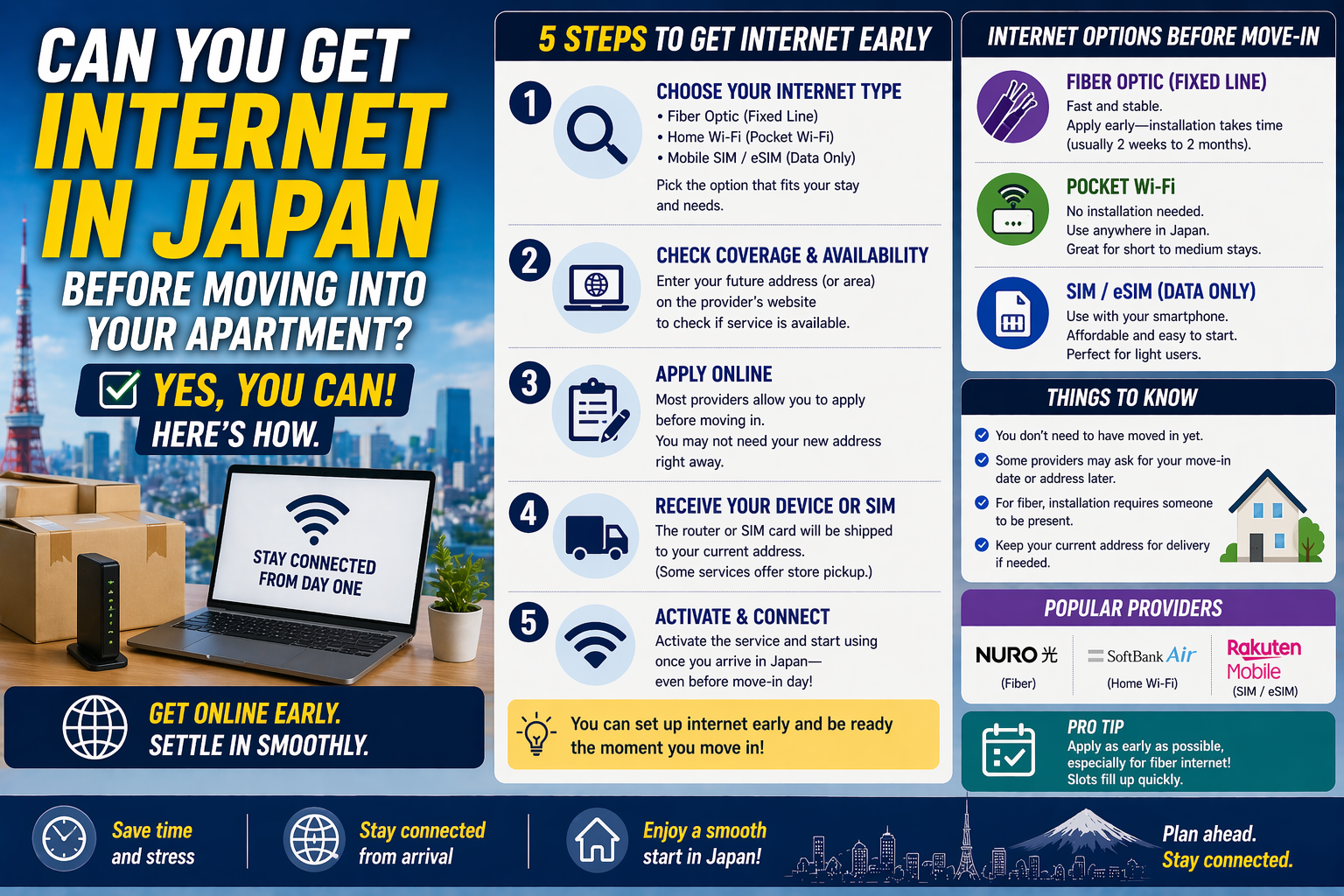
Can You Get Internet in Japan Before Moving Into Your Apartment?
Yes, usually you can get online before move-in, but not always with full home fiber in your own apartment right away. In most cases, the fastest options are an eSIM, a data SIM, or a no-construction home router. A full fiber line often takes longer because the provider must confirm the building setup and may need installation work after you get access to the apartment.
This matters most for students, workers, and first-time residents who need internet for maps, banking, job paperwork, school systems, or remote work as soon as they arrive in Japan.
- You can usually get mobile internet first and use it the same day.
- You can often apply for fiber before move-in, but the service may start only after building checks or installation.
- In some apartments, internet is already installed or available through the building, which can cut the wait a lot.
- The biggest mistake is assuming that “Wi-Fi in Japan is fast everywhere” means your new apartment will be ready on day one.
What you can realistically get before move-in
The practical answer depends on which type of internet you mean.
Mobile internet: the fastest option
If you need internet before you have keys, mobile service is the safest choice.
Rakuten Mobile says compatible users can activate an eSIM online, and in some cases the screening and setup can be completed in about 3 minutes. That is useful if you already have an unlocked eSIM-compatible phone and need data immediately.
SoftBank also still offers a prepaid travel SIM for foreign visitors. That is more limited than a normal monthly plan, but it can bridge the gap for the first days or weeks.
This option works best if:
- You are still in temporary housing, a hotel, or a weekly apartment.
- You do not know yet which fixed-line services your apartment building supports.
- You only need basic internet first and can tether from your phone.
Home routers: fast, but tied to an address
Japan also has home internet products that do not need construction. These are often the easiest answer if you already know where you will live but do not want to wait for fiber work.
SoftBank Air says you can just plug the router in and start using it, with no installation work and no landlord or management approval needed for rentals or condominiums. DOCOMO home 5G is similar: no on-site installation, but the router can only be used at the registered installation address unless you change that address first.
That detail matters. Many newcomers assume these routers are like portable pocket Wi-Fi. They are not. They are easier than fiber, but they are still meant for a fixed home address.
Fiber internet: often the best long-term choice, but not the fastest
If you want the most stable setup for remote work, gaming, or large uploads, fiber is still the standard choice. But it is usually not the thing you get first.
NTT East says service start times can vary depending on operational conditions. Asahi Net, which provides English support, recommends starting procedures one to two months before your move date if the service at the new place needs installation work. NTT West also shows that fiber setup includes document delivery and installation work on site.
That means you can often apply early, but you should not assume the line will be active before you physically move in.
Building-provided internet: sometimes the easiest answer
Some apartment buildings already have internet infrastructure or a contract with a building-wide provider. J:COM says residents in supported apartment buildings can sometimes start in as little as 4 days, and some properties offer service free or at a special rate because the owner pays part or all of the cost.
If your listing says “internet included” or “free internet,” this is the first thing to verify. It can save time and money, but the actual speed and setup quality vary a lot by building.
ここがポイント: If you need internet before or immediately after move-in, start with mobile data or a no-construction home router. Treat fiber as the better long-term setup, not the emergency solution.
Costs and timing to expect
The numbers below are useful as a starting point, but campaigns, area, and building type can change the final total.
- NTT East lists standard FLET’S HIKARI installation at 22,000 yen and shows monthly charges such as 5,940 yen for a family-type plan and 3,355 yen for a mansion-type plan, plus provider fees.
- SoftBank Air lists a basic monthly fee of 5,368 yen and does not require installation work.
- DOCOMO’s official home 5G notes show a monthly fee of 5,280 yen after the July 1, 2025 revision.
- Rakuten Mobile’s English pricing page lists 1,078 yen up to 3GB, 2,178 yen up to 20GB, and 3,278 yen for unlimited high-speed data under its main plan.
- J:COM lists apartment cases where internet may be free or discounted, and it shows an administrative fee of 3,300 yen on English pages for apartment-complex sign-up information.
In plain terms:
- Cheapest first step: a mobile plan you can activate quickly.
- Fastest home-style setup: a home router if your address is fixed and covered.
- Best long-term performance: fiber, if your building supports it and you can wait.
Rules and exceptions that matter in apartments
Apartment internet in Japan is not only about the provider. It is also about the building.
Landlord or management approval may still matter
Daito Trust’s resident FAQ gives a useful example of the usual rule. If the provider needs to make holes or attach equipment with screws, the provider must contact building support first. If the work uses existing holes and wiring and does not damage the walls, separate permission may not be needed.
That is why two apartments in the same city can have very different setup times. The key question is not only “Which company do I want?” but also “What wiring does this building already have?”
Coverage and service type vary by region
NTT East and NTT West cover different parts of Japan. Cable and apartment packages also depend on where the building is. J:COM, for example, checks service by address and area.
So when you compare plans, do not compare national ads alone. Compare:
- your exact address
- your building type
- whether the property already has wiring
- whether the apartment is listed as mansion-type, cable-ready, or internet-included
Which option fits your situation?
If you do not have keys yet
Start with an eSIM or data SIM.
This gives you immediate internet for:
- navigation
- messaging
- banking and app setup
- school or employer logins
- booking utilities and delivery windows
If you signed the lease but move-in is close
A home router is often the safest middle ground.
It avoids drilling, usually avoids landlord approval, and is much easier to start than a new fiber line. Check the registered-address rule before you order.
If you will stay for a year or more
Apply for fiber early and use mobile data as a bridge.
That is usually the most practical combination for people who work from home, use cloud backups, join long video meetings, or need stable performance every day.
If the apartment says “free internet”
Confirm four points before you rely on it:
- Is the service already active in the room, or do you still need a sign-up step?
- Is Wi-Fi equipment included, or do you need your own router?
- Is the speed shared across the building?
- Is there any admin fee or optional upgrade fee?
Common mistakes to avoid
- Assuming fiber can always be installed before move-in just because you already signed the lease.
- Ordering a home router and then trying to use it freely at another address.
- Reading “internet included” and assuming it means private high-speed fiber to your room.
- Waiting until the week of move-in to apply during busy moving periods.
- Forgetting to check whether your phone is unlocked and eSIM-compatible before relying on an eSIM plan.
- Comparing only monthly price and ignoring installation fees, contract length, or building restrictions.
Current status in 2026
As of April 23, 2026, the basic pattern has not changed: mobile-first options are the fastest, while fixed-line internet still depends on the building and installation process.
What has become easier is the short-term bridge. eSIM activation is simpler than before, and no-construction home routers remain widely marketed for renters. What has not disappeared is the address problem. Providers still tie many home products to a registered location, and apartment wiring still decides whether fiber is quick, slow, or not available in your room at all.
If you are moving soon, the practical order is simple:
- secure mobile data first
- check whether the building already has internet
- apply for a home router or fiber only after confirming the exact address and building rules
That sequence avoids the most expensive mistake: paying for a plan that looks good on paper but cannot actually start when you need it.
参照リンク
- NTT East: FLET’S HIKARI Official English Site
- NTT East: FLET’S HIKARI Service Guide
- NTT West: From Application to Use
- Asahi Net: Moving Procedures
- NTT DOCOMO: home 5G
- NTT DOCOMO Online Shop: home 5G Purchase Notes
- SoftBank: SoftBank Air
- SoftBank: Prepaid SIM for Travel
- Rakuten Mobile: eSIM
- Rakuten Mobile: SIM Plans
- J:COM: Membership Information for Those Living in Apartment Complexes
- J:COM: J:COM In My Room
- Daito Trust Construction FAQ: I Would Like to Install Internet in My Apartment