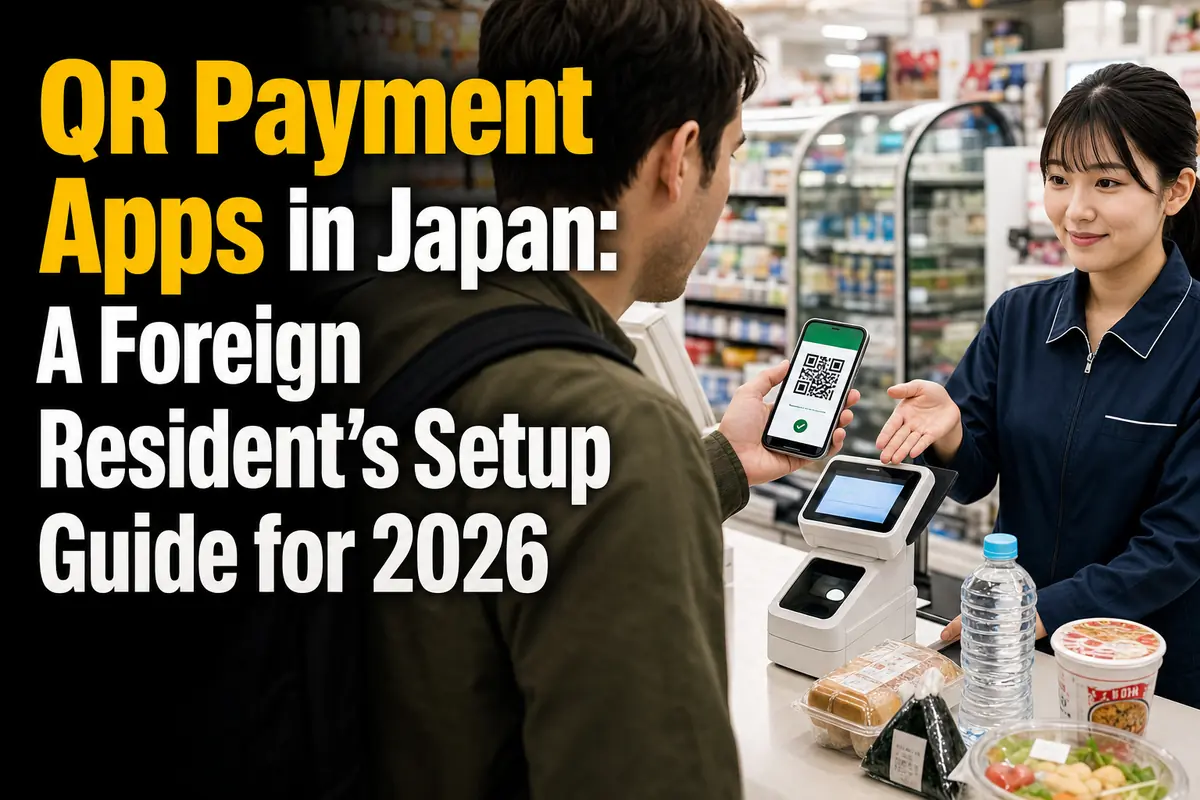
QR Payment Apps in Japan: A Foreign Resident’s Setup Guide for 2026
Foreign residents can use PayPay, Rakuten Pay, and d払い (d Barai), but downloading an app is only the first step. The real question is whether you have a compatible payment source and can complete the required account or identity checks.
For many newcomers, the easiest starting route is:
- PayPay: cash top-ups at a Seven Bank or Lawson Bank ATM, followed by identity verification if you want to connect a bank account or use more financial features.
- Rakuten Pay: a compatible card, or Rakuten Cash funded through an available charge method.
- d払い: a d Account plus a compatible card; a Docomo mobile contract is not required.
This guide is for workers, students, long-term residents, and family members setting up everyday QR payments in Japan. Information and announced changes were checked on August 1, 2026.
Which app should you try first?
Choose the app that works with the financial accounts you already have, not simply the one offering the loudest promotion.
PayPay is practical if you need a cash-funded route
PayPay can be useful when your overseas card is rejected or you do not yet have a Japanese credit card. Its balance can be charged with cash at Seven Bank and Lawson Bank ATMs.
Connecting a bank account requires PayPay identity verification. Foreign nationals may apply, but people without an unlimited period of stay must use an accepted document that lets PayPay confirm their residence expiry date.
Rakuten Pay fits people already using Rakuten services
Rakuten Pay is a natural option if you already have a Rakuten membership, Rakuten Card, Rakuten Bank account, or Rakuten Points. Its payment source can be a supported card, Rakuten Pay balance, or—after separate setup—a Rakuten Bank account.
A supported card does not have to be a Rakuten Card. The official setup guide lists Rakuten Card, Visa, Mastercard, JCB, and American Express, although some prepaid and debit cards may not register.
d払い works without a Docomo phone contract
d払い is not limited to Docomo mobile customers. A person using another carrier can set it up with a d Account and choose an available method such as d払い balance or a compatible card.
However, carrier billing is available only to eligible Docomo customers. Non-Docomo users should plan on using a card or prepaid balance instead.
Quick comparison for foreign residents
The three apps perform a similar job at the checkout, but their account and funding systems differ.
| App | Useful first funding route | What may require extra checks | Important limitation |
|---|---|---|---|
| PayPay | Cash at a Seven Bank or Lawson Bank ATM | Identity verification for bank registration and PayPay Money features | Foreign-issued cards may not register; major card-use changes are planned for late August 2026 |
| Rakuten Pay | Supported card or Rakuten Cash | 3-D Secure for cards; identity verification for charging from non-Rakuten bank accounts | Some debit and prepaid cards may be rejected |
| d払い | Compatible card or d払い balance | d Account setup and 3-D Secure for card use | Carrier billing is unavailable without an eligible Docomo contract |
The apps normally do not add a separate consumer fee to an ordinary shop purchase. Your card issuer, bank, mobile plan, or a particular financial transaction may still have its own charges or conditions. Check those separately.
What to prepare before registration
A matching name, a working mobile number, and access to your card issuer’s authentication system prevent many setup failures.
Prepare the following where relevant:
- A smartphone that can install the current app
- A mobile number you control and can use for verification
- An email address for the associated account
- A card with 3-D Secure enabled, if you plan to pay by card
- Your Japanese bank account details, if you plan to charge from a bank
- Your residence card, My Number Card, or another document accepted by the selected service when identity verification is required
- The exact spelling of your legal name as recorded by the app, bank, and card issuer
Names are a frequent source of trouble. A bank may store a name in katakana, while a residence card uses the Roman alphabet. Middle names, spaces, hyphens, and name order can also create mismatches.
Do not guess which version to enter repeatedly. Check the name registered with the bank or card issuer, then compare it with the identity information in the payment app.
ここがポイント: Foreign nationality alone does not determine whether an app will work. The decisive points are the service’s account rules, accepted identity document, matching personal information, and compatible funding source.
How to set up PayPay
PayPay offers a workable route before you have a Japanese credit card, but bank linking and some balance functions require identity verification.
1. Create the account carefully
Install the official app and register with a phone number that belongs to you. PayPay states that the owner of the registered number and the person whose identity information is submitted must be the same.
Protect the account from the start:
- Enable the phone’s screen lock and biometric security.
- Never give an SMS verification code to another person.
- Confirm that the name and address you enter match your official records.
- Keep your old number active until account transfer procedures are complete when changing carriers.
2. Choose how to pay
PayPay lists several payment methods, including PayPay balance, PayPay Credit, PayPay Points, and credit cards. For a new foreign resident, the practical choices are usually balance or a compatible card.
You can charge PayPay balance through methods including:
- A registered bank account
- Cash at a Seven Bank ATM
- Cash at a Lawson Bank ATM
- PayPay Card or PayPay Credit, subject to their application and screening requirements
- Certain carrier-billing and other supported routes
Cash charging is useful during the period between arriving in Japan and opening or linking a bank account. Follow the instructions inside the PayPay app and on the ATM screen; do not transfer cash in response to instructions sent by a stranger.
3. Complete identity verification when you need bank linking
PayPay says foreign nationals can apply for identity verification. Accepted options include a My Number Card, residence card, and Special Permanent Resident Certificate, subject to the app’s current procedure.
Foreign nationals whose period of stay is not unlimited must use one of the specified methods that allows the service to check the expiry date. PayPay also states that foreign nationals under 16 can use only a My Number Card for this process.
Identity verification matters because it enables functions such as bank-account registration and PayPay Money. A review may finish on the same day, but applications using document photography can take several days.
4. Check the balance type before a restricted payment
Not every PayPay balance has the same functions. Some merchants or services accept only PayPay Money. PayPay explains that qualifying funds charged after identity verification can become PayPay Money, while balance held before verification does not automatically change into it later.
This distinction matters for more than an ordinary convenience-store purchase. Before paying a bill or using a financial service, open the balance details and confirm which type you hold.
5. Watch the late-August 2026 card change
As of August 1, 2026, PayPay says Visa and Mastercard can be registered as credit cards, although prepaid and foreign-issued cards may not work.
A significant change is scheduled for late August 2026: PayPay says use of a non-PayPay credit card will require the purchase of a “third-party card use ticket” (他社カード利用券). The feature is being expanded gradually, and it may not yet appear for every user. It also excludes some transactions, including certain online-merchant payments.
If you currently rely on a non-PayPay card, check the app before the change takes effect. A cash-funded balance or another QR app may be a more predictable backup.
How to set up Rakuten Pay
Rakuten Pay gives residents several funding choices, but each route has different account and verification requirements.
1. Sign in and select a payment source
After installing the app, sign in with your Rakuten membership. Open the payment-source area on the home screen and select the method you intend to use.
The official guide lists these cards as eligible for registration:
- Rakuten Card
- Visa
- Mastercard
- JCB
- American Express
A card may still need 3-D Secure authentication during registration or payment. Some prepaid and debit cards cannot be registered even if they carry a listed brand.
2. Understand Rakuten Pay balance and Rakuten Cash
The app’s stored-value system is shown as Rakuten Pay balance and is based on Rakuten Cash. Available charge routes include Rakuten Card, Rakuten Bank, other supported banks, participating convenience-store ATMs, and several Rakuten services.
The route you choose changes what you must do:
- Rakuten Card: charge through the app using the registered card.
- Rakuten Bank: connect the account and follow the bank’s authentication process.
- Another supported bank: complete identity verification before charging.
- Participating ATM: use the relevant cash-charge procedure without assuming that every ATM supports it.
Rakuten warns that registration of a Rakuten Bank account may take approximately one to three days to appear in the app. Do not wait until you are standing at a checkout to test it.
3. Set point use deliberately
Rakuten Pay can use Rakuten Points, including limited-time points, but the behavior depends on the selected payment source and app setting.
For example, when Rakuten Pay balance is the payment source and point use is enabled, the app uses available points first and covers the remainder with the balance. The official guide says the number of points cannot be specified in that particular configuration.
Check the point switch before every expensive purchase. Otherwise, points you intended to save—or limited-time points you intended to spend—may be handled differently from what you expected.
4. Do not assume all Rakuten Cash can be withdrawn
Rakuten Cash has basic and premium classifications. Identity verification can enable withdrawal of qualifying premium-type funds, but it does not make every existing balance withdrawable.
Rakuten states that funds charged from Rakuten Card or Rakuten Bank are basic-type Rakuten Cash and cannot be withdrawn. Basic-type funds held before identity verification also remain non-withdrawable afterward.
For ordinary shopping this may not matter. It becomes important if you are treating the app as a place to hold money that you may later need back in a bank account.
How to set up d払い
d払い is open to non-Docomo users, but the payment options and point benefits differ according to your mobile and card relationship.
1. Create or confirm your d Account
Install the app and sign in with a d Account. The official service guide says users without a Docomo line can use d払い through a d Account.
If you do not have an eligible Docomo contract, select a card or d払い balance. Do not choose the service solely because you expect purchases to appear on a non-Docomo phone bill; that is not how its carrier-billing option works.
2. Register a supported card
d払い lists Visa, Mastercard, American Express, and JCB as supported brands for card payment. You must be the cardholder, have a d Account, and complete 3-D Secure when required.
A brand logo is not a guarantee that every card will pass. The issuer may reject the authentication or transaction. If 3-D Secure fails, contact the card issuer because d払い cannot inspect or change the issuer’s authentication records.
3. Understand the difference between payment methods
The app offers three main routes:
- Phone-bill payment: for eligible Docomo customers
- d払い balance: prepaid funds charged through supported methods
- d Card or another supported credit card: charged to the selected card
These routes do not receive identical benefits. d払い states that payments funded by a non-d Card are generally excluded from dポイント awards through the payment itself. A promotion may also have separate conditions.
4. Note the September 2026 point change
The d Card payment benefit currently adds points under the stated program conditions. From September 1, 2026, as planned, points awarded as the d Card payment benefit will change to limited-period, limited-use dポイント.
That does not stop the payment function, but it changes how long the bonus points remain useful. Anyone choosing d払い mainly for rewards should check the expiry and permitted uses after points are credited.
How QR payment works at a Japanese checkout
The cashier may scan your code, or the shop may ask you to scan its code and enter the amount yourself.
When the shop scans your code
- Tell the cashier the app name: “PayPay de,” “Rakuten Pay de,” or “d Barai de.”
- Open the payment screen, not a screenshot.
- Confirm the selected payment source and point settings.
- Let the cashier scan the live barcode or QR code.
- Wait for the completed-payment screen and check the amount.
When you scan the shop’s code
- Open the app’s scan function.
- Scan the QR code displayed by the shop.
- Enter the amount shown by the cashier.
- Show the entered amount before confirming if the shop requests it.
- Complete payment and show the success screen or let the shop confirm the result.
Never scan a QR code received through an unsolicited message to “unlock,” “refund,” or “verify” your account. A legitimate shop payment should match the merchant, amount, and purchase in front of you.
Common setup and payment mistakes
Most failures come from account details, card authentication, or the selected funding route—not from the QR code itself.
Assuming an overseas card will work
A supported card brand is only the first condition. Foreign-issued, debit, and prepaid cards may be rejected by the app or issuer. Keep another payment method available.
Mixing legal-name formats
If your app identity, bank account, and card use different spacing or name order, bank linking may fail. PayPay specifically warns that a bank account name must match the verified information and that unnecessary spaces can cause problems.
Confusing a point card with a payment source
Showing a Rakuten Point Card or d Point Card is not automatically the same as paying with Rakuten Pay or d払い. At participating shops, point presentation and payment may be separate actions.
Expecting every merchant to accept every balance type
A PayPay logo does not mean every PayPay funding source works for every transaction. The same practical caution applies to online shops, bill payment, financial products, and app-specific merchant restrictions.
Relying on one app
QR payment can fail because of maintenance, weak reception, an expired code, an app update, or an issuer decline. Carry a small amount of cash and, if possible, a physical card or transit IC card.
Ignoring refunds and transaction history
A refund may not appear in the same place or at the same speed as a card cancellation. Keep the receipt and check the app’s transaction record. Contact the merchant first when the amount or status is wrong, then use the app’s official support channel if necessary.
A practical decision checklist
Start with one app that matches your current accounts, test it with a small purchase, and add a second only if it solves a real limitation.
Before choosing, ask:
- Can I register with a mobile number and account I will keep?
- Does my legal name match my bank and card records?
- Is 3-D Secure active on my card?
- Can I fund the app without depending on an overseas card?
- Do nearby supermarkets, pharmacies, restaurants, or utility-payment counters accept it?
- Will I actually use the associated points before they expire?
- Do I understand whether the balance can be transferred or withdrawn?
- What will I use if the app is unavailable?
For a newly arrived resident without a compatible Japanese card, PayPay’s ATM cash-charge route may be the simplest experiment. A resident already using Rakuten services may get a more connected experience from Rakuten Pay. Someone with a d Account, d Card, or established dポイント use may prefer d払い.
The next immediate watchpoint is PayPay’s planned late-August 2026 change for third-party cards. After that, d払い users should check how the planned September 1 change affects the expiry and use of d Card payment-benefit points. Confirm both changes in the official apps before relying on rewards or a particular funding route.
参照リンク
- PayPay Help: Identity verification
- PayPay Help: When identity verification cannot be completed
- PayPay Help: Bank account registration problems
- PayPay Help: Available payment methods
- PayPay Help: Credit cards that can be registered
- PayPay Help: Third-party card use tickets
- PayPay Help: Merchants with restricted payment methods
- Rakuten Pay: Payment-source and point settings
- Rakuten Pay: How to charge Rakuten Cash
- Rakuten Pay: Withdrawing eligible Rakuten Pay balance
- d払い: Official service overview
- d払い: Card payment guide
- d払い: Card payment conditions
- d払い: 3-D Secure authentication
- d払い: Beginner’s guide