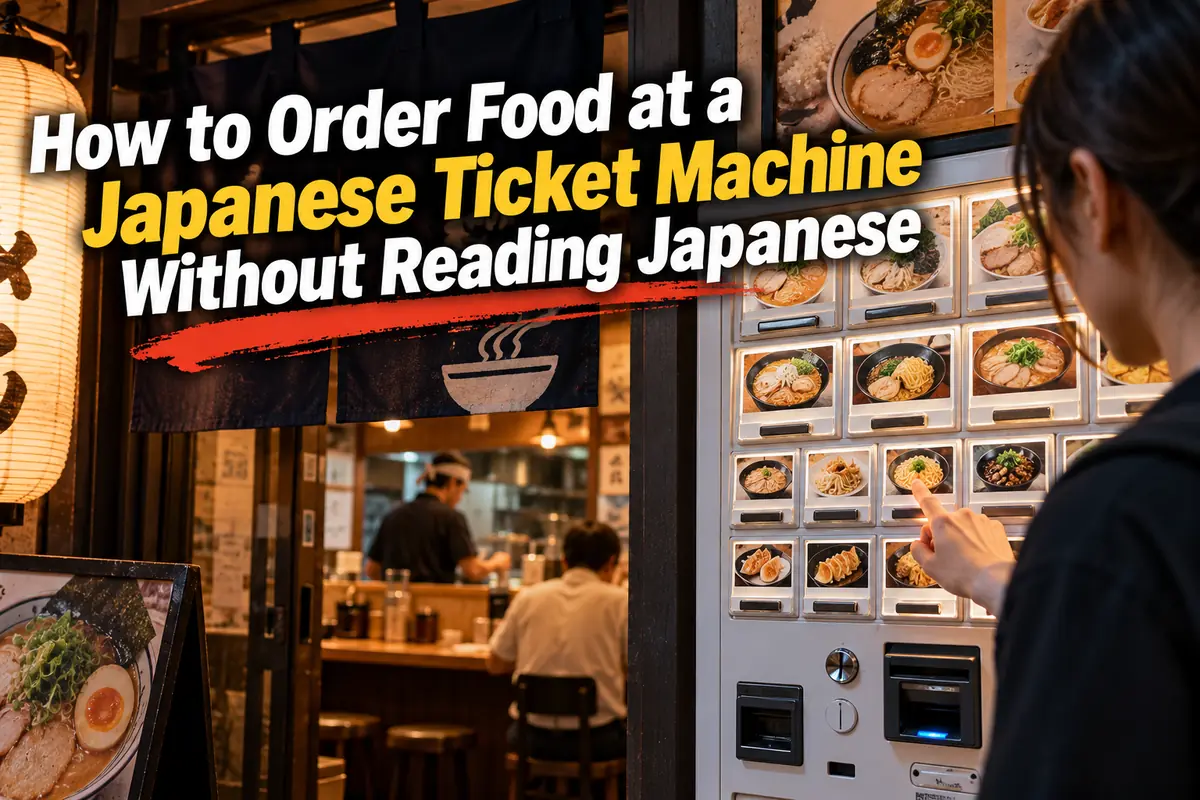
How to Order Food at a Japanese Ticket Machine Without Reading Japanese
Choose your meal, follow the machine’s payment instructions, collect your ticket and change, then check whether to hand the ticket to staff or wait for your number. If the menu is only in Japanese, match the dish using a photo, a translated menu label, or help from an employee before paying.
The important detail comes after payment: some restaurants need your paper ticket to start preparing the meal. Others send the order directly to the kitchen. Keeping the ticket and sitting down works only when the restaurant tells you to do that.
This guide is for new residents, students, visitors, and families using a restaurant ticket machine for the first time. The Japanese name is 券売機 (kenbaiki, ticket vending machine); the meal ticket is 食券 (shokken).
Here is what to check:
- Before ordering: the dish, portion size, and whether it is for eating in or taking away.
- Before paying: the total and the payment methods shown on that machine.
- After paying: your ticket, any change, and the restaurant’s handover or pickup instructions.
- If something is unclear: ask before buying another ticket.
Before using the machine, identify the meal you actually want
A translated dish name is useful, but you also need to distinguish a full meal from an extra topping or noodle refill.
Read any menu displayed outside or beside the machine first. If there are photographs or numbered dishes, use those to narrow your choice before standing at the controls. When you need more time, leave space for other customers to order.
Look for an English button or language selector on a touchscreen. If there is none, a phone’s camera translation can help you read the menu. Treat it as a reading aid: short labels, stylized lettering, and food names can produce confusing translations.
A practical approach is to match three things together: the Japanese label, the picture, and the price. If they do not agree with what you expected, ask staff.
Menu words that change what you receive
These labels are worth recognizing because they affect the meal, rather than just its name:
- 並 / 並盛 — nami / namimori: regular size.
- 大盛 — ōmori: large portion. Check whether the label refers to rice, noodles, or the whole dish.
- 小 — shō: small; the exact portion depends on the menu.
- 定食 — teishoku: a set meal. Check the description for what is included.
- 単品 — tanpin: an individual item rather than a set.
- セット — setto: a set or combination; included items vary.
- トッピング — toppingu: an extra topping.
- 替玉 — kaedama: an additional serving of noodles, not a new bowl of soup.
- 売り切れ — urikire: sold out.
For example, a button marked 替玉 can look like an inexpensive noodle option. At ICHIRAN, it means noodles to add to the soup you already have; the restaurant’s system guide explains how to request that refill. Buying it alone would not give you the full ramen meal you intended.
Eating in or taking away
Some machines ask you to choose the service type before showing dishes. Others ask later.
- 店内 — tennai: inside the restaurant; eat in.
- お持ち帰り — omochikaeri: takeout.
- 持ち帰り — mochikaeri: takeout.
Choose the option you intend to use, then check the final price on that screen. Do not assume that a dish’s eat-in and takeout options have identical contents or availability.
Follow the machine’s prompts rather than a fixed payment sequence
There is no single button order that works at every restaurant.
A machine with physical buttons may require you to insert cash before selecting a meal. A touchscreen may ask you to choose the meal, size, extras, and payment method first. Use the instructions and displayed balance to decide what comes next.
A reliable ordering sequence
- Check the entrance instructions. If staff are managing a queue, follow their directions about when to buy your ticket.
- Choose eat-in or takeout if prompted. Look for 店内 or お持ち帰り.
- Select the main dish. Confirm that it is a meal rather than an extra.
- Choose the size and any additions. Check quantities before continuing.
- Review the total. On a touchscreen, look for a summary of the selected items.
- Pay using a method the machine displays. Follow any additional confirmation prompt.
- Collect everything. Take the meal ticket or receipt and retrieve any change.
- Read the next instruction. Find out whether to give the ticket to staff, wait at a seat, or collect the meal at a counter.
If ordering for several people, count the main meals in the selection summary. Do not assume one payment produces one piece of paper per person: ticket and receipt formats vary by system.
Useful control labels
You do not need to memorize every button. These words help you recognize the main choices:
- 注文 — chūmon: order.
- 数量 — sūryō: quantity.
- 次へ — tsugi e: next.
- 戻る — modoru: back.
- 取消 / キャンセル — torikeshi / kyanseru: cancel.
- 確認 — kakunin: check or confirm.
- 確定 — kakutei: finalize.
- お支払い — oshiharai: payment.
- 現金 — genkin: cash.
- おつり — otsuri: change.
- 領収書 — ryōshūsho: receipt.
A cancel button on the selection screen does not necessarily cancel an order that has already been paid for. Once payment is complete, ask staff about changes.
Bring a backup payment method and check the final total
Payment acceptance belongs to the individual restaurant and machine, so carrying some cash is a useful backup.
Check the payment logos and the denominations shown beside the cash slots. A credit card, transport IC card, or phone payment that works elsewhere may not work here. Even a restaurant offering cashless payment may support only particular services.
Have coins and a ¥1,000 note available if possible, but check the machine’s labels before inserting money. Do not assume it accepts every banknote denomination.
Calculate the meal, not just the cheapest button
Your total may include separate charges for a larger portion, toppings, rice, drinks, or another side dish.
Here is an illustrative calculation, not a quoted restaurant menu:
- Main meal: ¥850
- Large portion: ¥100 extra
- Egg topping: ¥150 extra
- Total: ¥1,100
The important check is whether an extra is already included in the selected meal. A set button and a main-dish button can look similar while producing different orders.
Before finalizing, check the quantity as well as the amount. An accidental second tap can be harder to notice when the screen moves quickly to payment.
Current status: cashless machines still have exceptions
As checked on October 8, 2026, ICHIRAN’s official FAQ says its ticket machines accept cashless payments at most stores, with a few exceptions, and asks customers to confirm details with each restaurant.
That is useful information for that chain. It does not establish payment acceptance at other ramen shops, cafeterias, or independent restaurants. For your next meal, the relevant information is the payment notice on the machine in front of you.
After payment, check whether the kitchen has received your order
The ticket’s role determines whether you should hand it over or keep it while waiting.
Two official restaurant instructions show why this matters.
When staff need the ticket
ICHIRAN’s system guide instructs customers to use the call button at their booth and give staff their order sheet together with all meal tickets. The ticket purchase is followed by a separate handover step.
At another restaurant, the handover point may be a counter or your seat. Follow its signs or ask an employee rather than assuming the same seating procedure applies.
When the order is sent automatically
Matsuya’s official self-service ordering guide describes a different system: buying the ticket sends the order automatically. Customers retain the ticket, wait at a seat, and take it to the counter when their number appears as ready.
The guide also explains that meals can finish in a different order because cooking times vary. A higher number being called first does not by itself mean your order was missed. After eating, customers return their dishes to the return counter.
These instructions describe the self-service system in that guide; use the signs at your particular branch to confirm its procedure.
Labels to look for after ordering
- 番号 — bangō: number.
- 呼出番号 — yobidashi bangō: number being called.
- 受取口 — uketoriguchi: pickup point.
- 返却口 — henkyakuguchi: return point, such as where to return trays and dishes.
Keep your ticket until you have received the correct meal. If a screen has separate waiting and ready areas, check which area contains your number before approaching the counter.
Ask before paying when ingredients or changes matter
A photo or short menu label cannot confirm every ingredient or preparation detail.
If you have an allergy, a dietary restriction, or a specific ingredient you need to avoid, speak to staff before purchasing. Camera translation can help you read words, but it cannot confirm ingredients that are not listed or how the kitchen handles food.
Likewise, removing a visible topping does not confirm what is in the broth, sauce, or seasoning. Ask about the whole dish.
ICHIRAN’s FAQ directs customers to its allergy information. Other restaurants may provide a separate ingredient or allergen sheet; ask whether one is available. If staff cannot confirm that a meal meets your needs, choose another option rather than guessing at the machine.
Short phrases to show or say
-
食券の買い方を教えてください。
Shokken no kaikata o oshiete kudasai.
“Please show me how to buy a meal ticket.” -
これは何ですか?
Kore wa nan desu ka?
“What is this?” Point to the exact dish or button. -
英語のメニューはありますか?
Eigo no menyū wa arimasu ka?
“Do you have an English menu?” -
この食券はどこに渡しますか?
Kono shokken wa doko ni watashimasu ka?
“Where should I hand in this ticket?” -
〇〇が入っていますか?
〇〇 ga haitte imasu ka?
“Does this contain 〇〇?” Replace the blank with the ingredient.
For an allergy, show staff a clear written explanation of the allergen and ask them to check the meal before you order. A general ingredient question alone may not communicate the full concern.
If something goes wrong, keep the ticket and ask staff immediately
Buying a second ticket can create a second paid order, so resolve the first transaction before trying again.
You chose the wrong dish
Tell staff as soon as you notice, ideally before cooking starts:
間違えて買いました。変更できますか?
Machigaete kaimashita. Henkō dekimasu ka?
“I bought the wrong item. Can it be changed?”
Whether staff can change the order or refund it depends on the restaurant and how far preparation has progressed. Keep the ticket so they can identify the purchase.
Payment seems complete, but no ticket appears
Check the ticket outlet and the screen for a remaining instruction. If a card or phone shows a payment but the machine has not issued a ticket, call staff before paying again. Show the transaction information if needed.
Cash is rejected or change is missing
Check the accepted denominations and look for an おつり label or change-return control. If the machine still does not respond as expected, tell staff the amount you inserted. Do not repeatedly force a rejected note into the slot.
You cannot find your order number
Compare the number on your ticket with the display and check whether it is in a waiting or ready section. If you still cannot identify it, show the ticket to staff. They can check the order more reliably than you can by guessing from the sequence of numbers.
What changes between restaurants—and what to remember next time
The differences that matter are usually the machine and service system, rather than the city or prefecture.
A restaurant in Tokyo can use physical buttons and cash, while another location uses a multilingual touchscreen and electronic ordering. Even branches of one chain can have different equipment or layouts. There is no nationwide restaurant procedure requiring all meal tickets to be handled the same way.
For your next visit, make four quick checks:
- Is this button a main meal, set, or extra?
- Is the order eat-in or takeout?
- What payment methods does this machine accept?
- Do you hand over the ticket or keep it and wait?
The last check prevents the most consequential mix-up: paying for a meal and then waiting while the kitchen is still waiting for your ticket.